21 Home Office Organization Ideas for a Calmer Workday
My home office used to be where good intentions went to die. Cables tangled under the desk, papers stacked in three places, and every workday started with ten minutes of clearing space before I could actually work. These 21 home office organization ideas are the systems I set up in my own workspace, and they are the ones that survived a full year of remote work, school projects, and one very curious toddler.
I picked these home office organization ideas by testing them in a real, small spare room — not a showroom. Every idea below includes what it cost, how long it took, and the honest downside I found, so you can build a calmer workday without repeating my mistakes.
Key Takeaways
- Clear the desk surface first — everything else works better on a clean desk.
- Use the wall: shelves, pegboards, and boards hold more than any drawer unit.
- Give paper a flow (inbox, action, file) instead of letting it pile.
- Hide cables and chargers — visible cord chaos makes a tidy room feel messy.
1. Cable Management Tray Under the Desk
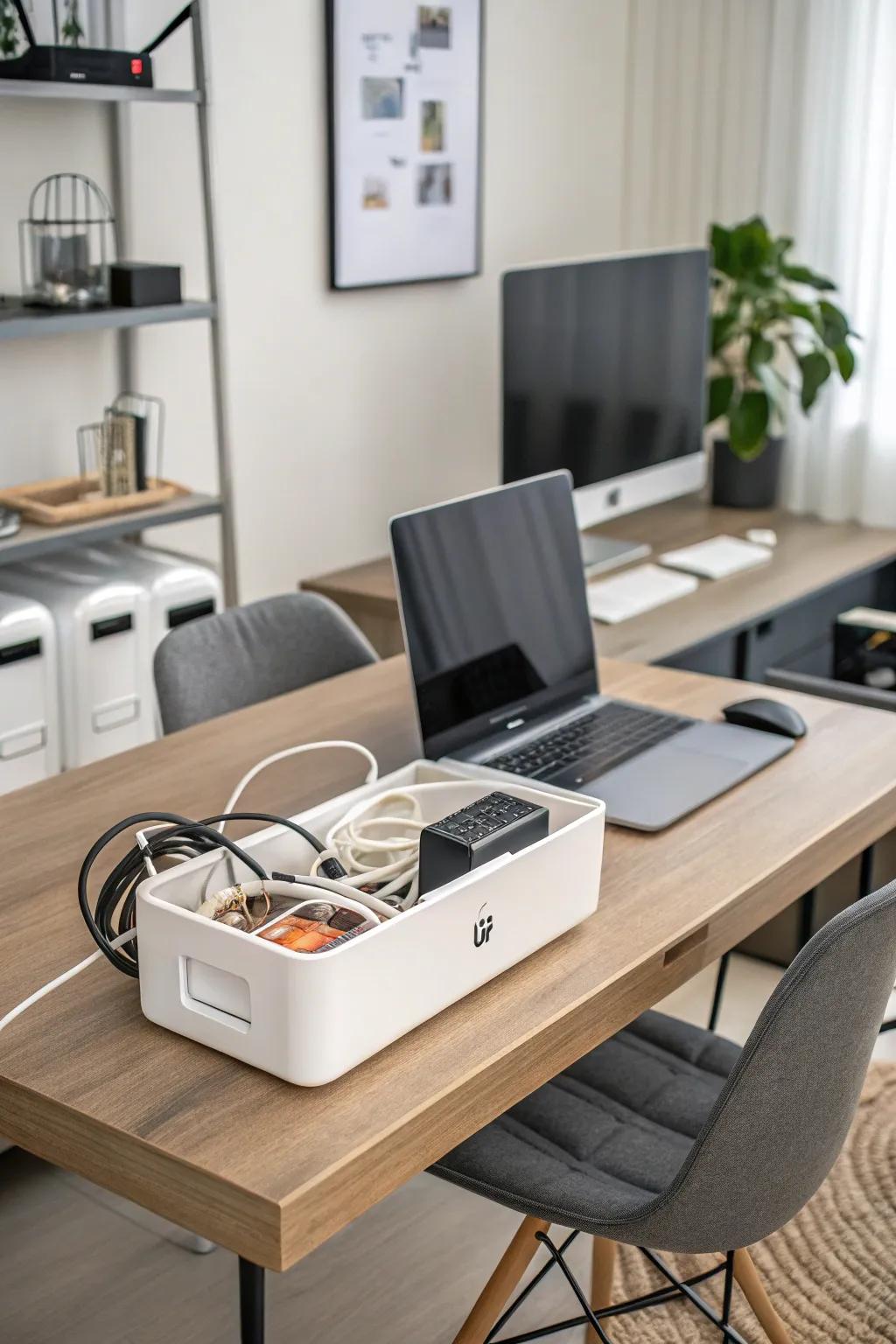
Cables were the single ugliest thing in my office, so I screwed a metal cable tray under the desk and routed the power strip, monitor cables, and charger cords through it. The floor under my desk went from a nest to bare floorboards in twenty minutes, and I stopped kicking plugs loose with my feet. Adhesive clips hold the last few cords flush along the desk leg.
The tray fills up fast if you keep adding devices, so I did a cable audit first and removed three chargers I never used. Label both ends of each cable with a small tag, or unplugging the right one becomes a guessing game.
Pro Tip: Mount the tray toward the back of the desk so it stays invisible from the doorway.
Cost: $15–$40 | Time: 30 minutes | Difficulty: Easy
2. Floating Shelves Above the Desk
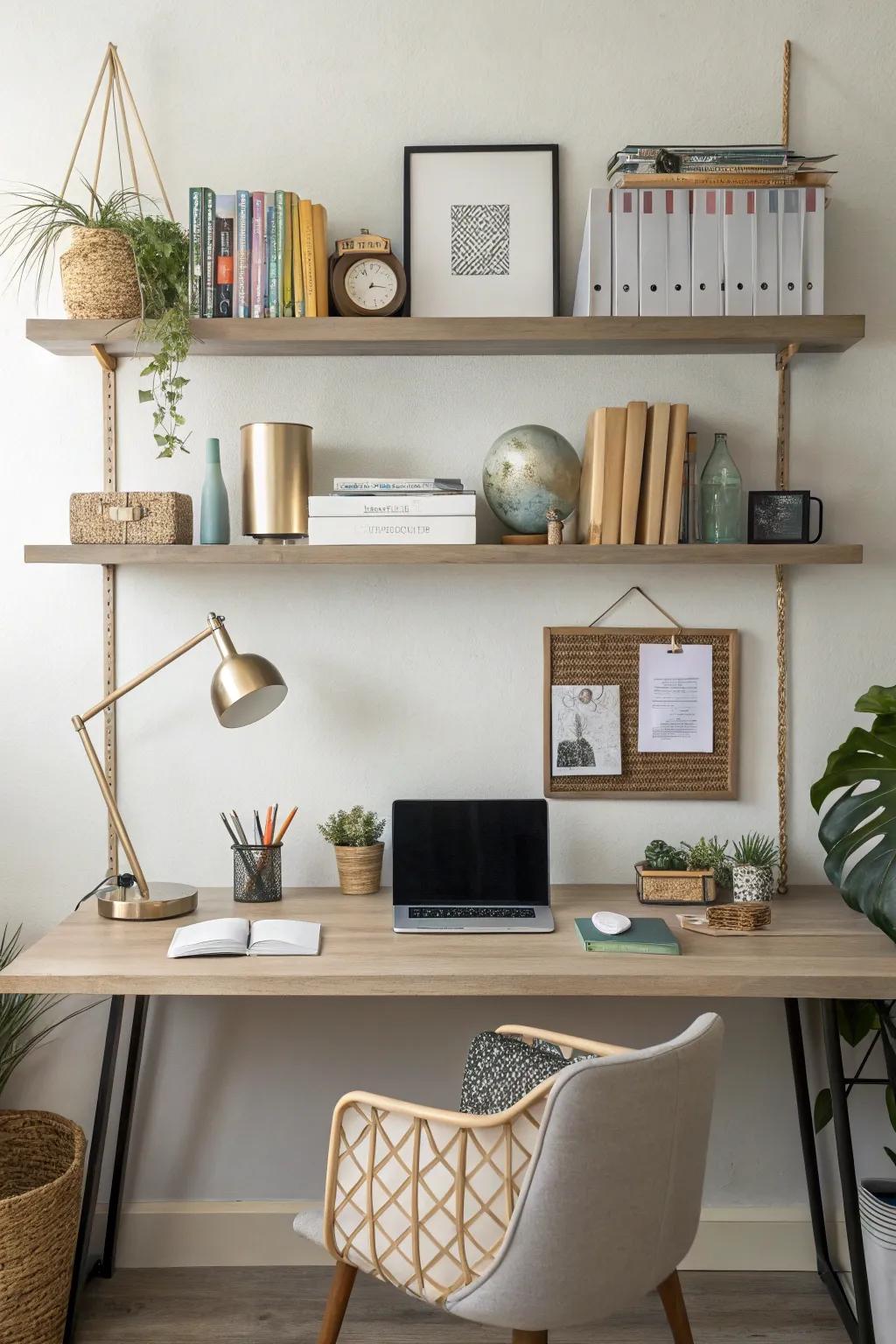
Two floating shelves above my desk hold reference books, a plant, and the supplies I reach for daily, and they freed an entire desk drawer. I mounted them into studs at eye level when seated, so everything is visible without standing up. The top shelf holds pretty things, the lower shelf holds working things — that split keeps it functional instead of decorative.
Shelves become clutter magnets, so I enforce a rule: if it does not fit on the shelf, it does not live there. A small basket on the lower shelf corrals loose items like sticky notes and clips.
Pro Tip: Leave 18 inches between the desk surface and the first shelf so your monitor and head have clearance.
Cost: $30–$80 | Time: 1 hour | Difficulty: Easy
3. Rolling Cart for Mobile Storage

A three-tier rolling cart is my office’s most flexible piece of furniture. It holds printer paper, notebooks, and project supplies, and I wheel it beside the desk when working and park it in a corner when I need floor space. When my daughter needs the desk for homework, the cart rolls to her side of the room in seconds.
Cheap carts wobble when loaded, so I chose one with locking casters and a steel frame. I also labeled each tier — paper, projects, supplies — or the cart slowly becomes a junk pile on wheels.
Pro Tip: Park the cart in a marked spot (a small rug works) so it always has a home.
Cost: $35–$90 | Time: 20 minutes to assemble | Difficulty: Easy
4. Drawer Dividers for Desk Supplies

My desk drawer was a swamp of pens, clips, and dead batteries until I fitted it with compartmentalized trays. Now pens, sticky notes, scissors, and chargers each have a zone, and I can find a paperclip without emptying the drawer. I used adjustable dividers so the layout could change when my supplies did.
Dividers slide around in a smooth drawer, so I lined the bottom with a non-slip mat first. That one change made the whole system stay put, even when the drawer gets yanked open.
Pro Tip: Keep one small “inbox” compartment in the drawer for items that arrive without a home yet, and clear it weekly.
Cost: $12–$30 | Time: 20 minutes | Difficulty: Easy
5. Tiered Paper Trays for Your Inbox
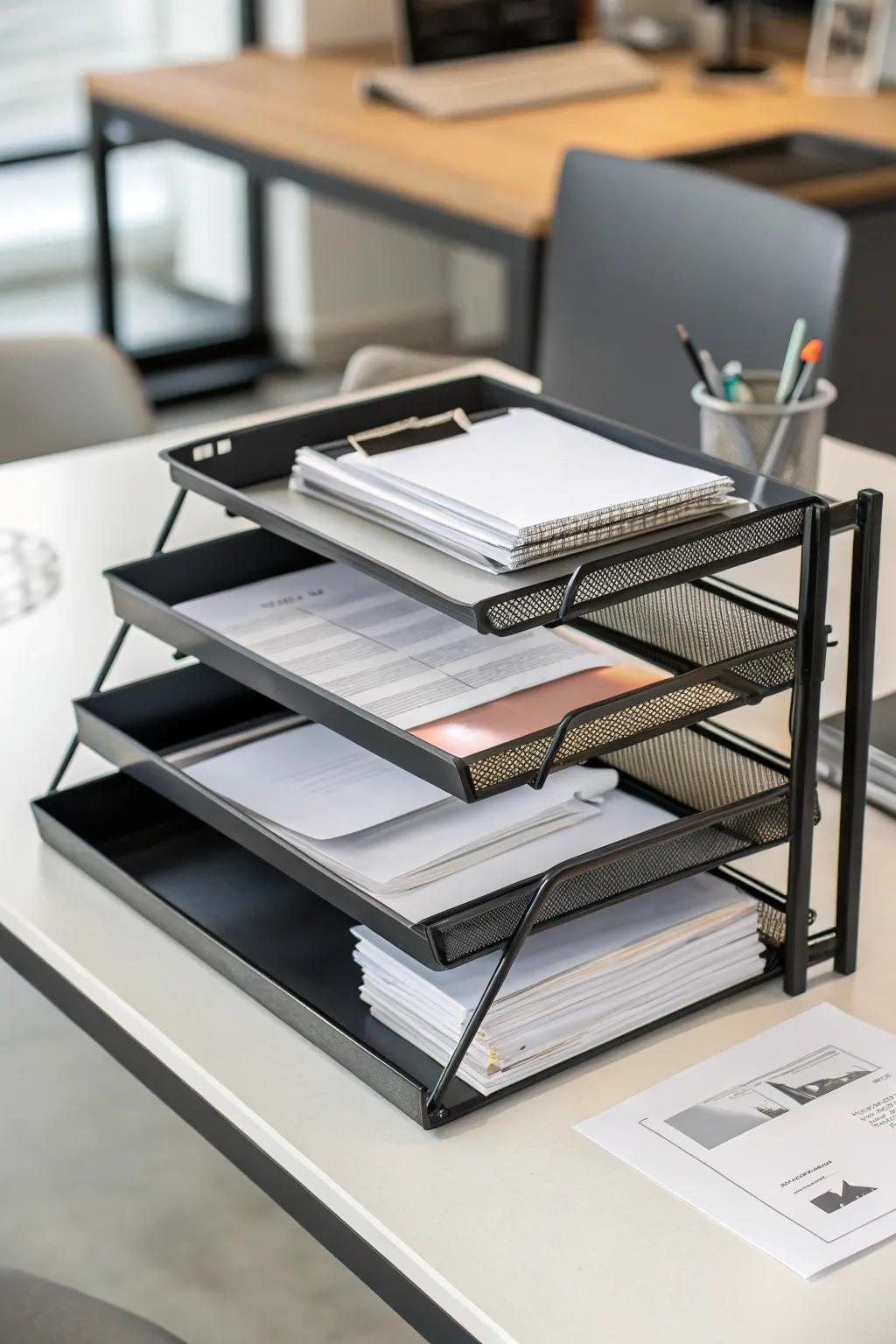
Paper was my office’s biggest enemy until I set up a three-tier tray: inbox on top, action in the middle, file at the bottom. Mail and school forms land in the top tray, and I process the middle tray every Friday. It sounds simple, but giving paper a flow instead of a pile ended the stacks on my desk entirely.
The system only works if the bottom tray gets emptied, so I file or shred its contents during my Friday reset. A tray that overflows is just a pile with better marketing, and I learned that the hard way.
Pro Tip: Keep the tray beside your dominant hand so filing becomes one motion, not a chore.
Cost: $20–$45 | Time: 15 minutes to set up | Difficulty: Easy
6. Labeled Boxes on Open Shelving

Open shelving looked great in my office but turned chaotic until I added matching boxes with clear labels: taxes, manuals, kids’ school, archives. The room instantly looked calmer, and I stopped opening five boxes to find one document. I used one box size and one label style so the shelf reads as a set, not a jumble.
Boxes hide things, which is the point and the risk — I keep a one-line contents list taped inside each lid. Without that list, I once bought a second copy of a manual I already owned.
Pro Tip: Label boxes on the front and the top so they read correctly from any angle.
Cost: $5–$12 per box | Time: 1 hour to sort and label | Difficulty: Easy
7. Pegboard Wall Above the Desk
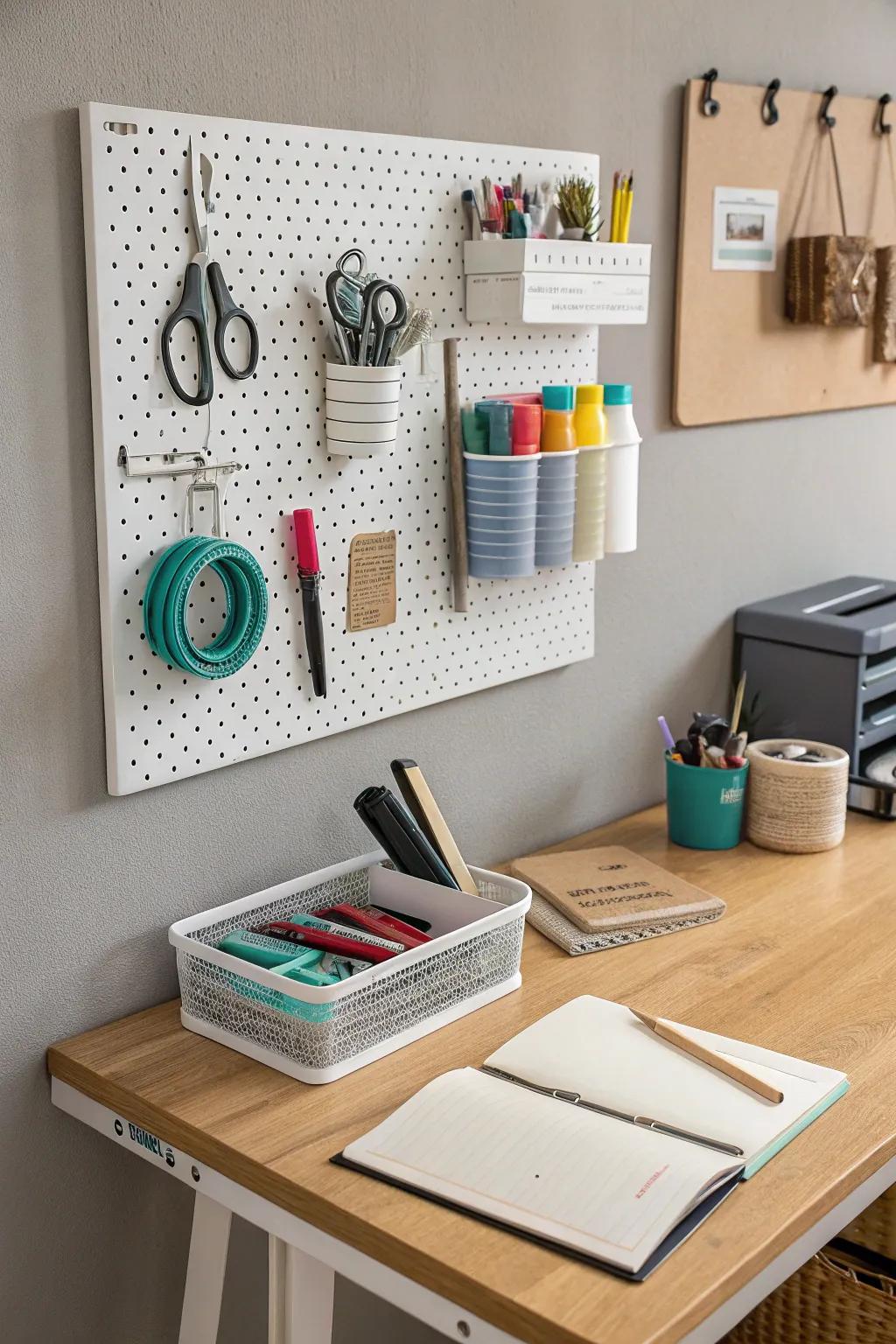
A pegboard above my desk holds scissors, tape, headphones, and small baskets for clips and cords, all within arm’s reach and off the desk surface. I painted it the same color as the wall so it blends in, and I rearrange the hooks whenever my workflow changes — no new holes, no damage. It freed two desk drawers completely.
Pegboard hooks fall out when you grab things quickly, so I use locking hooks for heavier items like headphones. Keep the board at arm’s reach, not stretched high, or you will stop using the top half.
Pro Tip: Outline your most-used tools on the board so missing items are obvious at a glance.
Cost: $25–$60 | Time: 1–2 hours | Difficulty: Easy
8. Labeling System for Bins and Boxes

A label maker was the cheapest upgrade with the biggest payoff in my office. Every bin, box, and shelf zone got a clear label, and suddenly my family stopped asking where things were — and stopped putting them in the wrong place. I label with verbs where it helps: “file here,” “shred,” “return,” so the label tells you what to do, not just what is inside.
Labels peel off plastic bins over time, so I use label-maker tape rather than handwritten stickers, which lasted years in my experience. Re-label immediately when a box’s contents change, or the system quietly lies to you.
Pro Tip: Print two labels per box — one for the front, one for the top — so stacked boxes stay readable.
Cost: $25–$50 for a label maker | Time: 30 minutes | Difficulty: Easy
9. Tech Charging Dock on the Desk
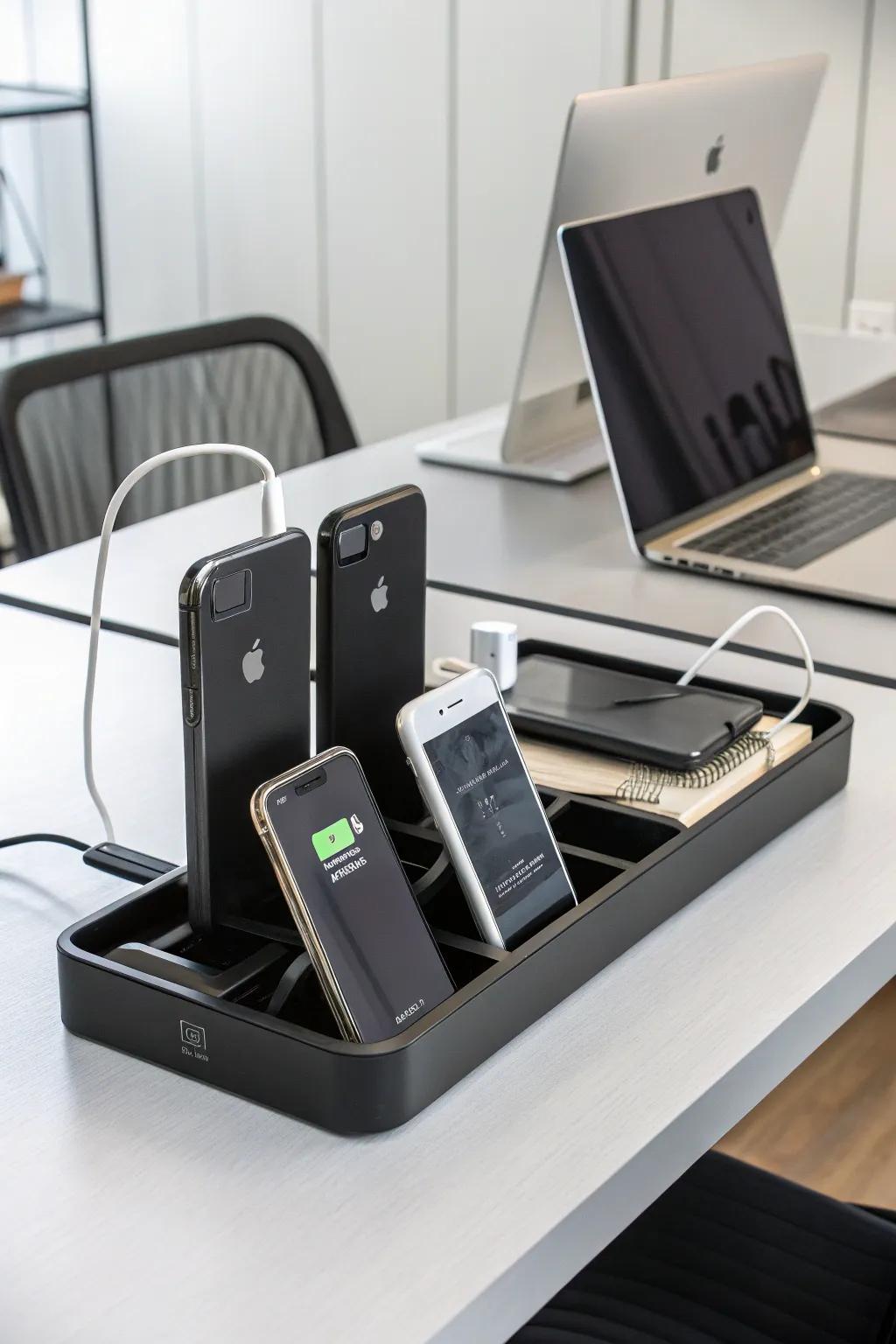
Phones, earbuds, and a tablet used to charge in four different spots, so I set up one charging dock at the back corner of the desk with a multi-port charger and short cables. Everything charges in one place, cables stay short and tidy, and I always know where my devices are. I chose a dock with weighted base so it does not slide when I grab my phone.
Short cables are key — long cables recreate the tangle you just removed. I also set devices to charge overnight in the dock, so mornings start with full batteries and a clear desk.
Pro Tip: Keep one cable free for guests or a new device, or someone will unplug yours.
Cost: $25–$60 | Time: 15 minutes | Difficulty: Easy
10. Hidden Storage Furniture

My office looks calm because the mess lives behind closed doors: a cabinet with hidden compartments holds the printer paper, spare cables, and old files I rarely touch. When the doors close, the room looks like a reading nook, not a work zone. This matters in a spare room that doubles as a guest room, where I need the office to disappear on weekends.
Hidden storage only works if you can find things again, so I keep a simple map of what lives where on the inside of one door. Without it, hidden storage becomes a black hole, and I speak from experience.
Pro Tip: Reserve hidden storage for rarely-used items; daily tools should stay visible and reachable.
Cost: $80–$300 | Time: 1–2 hours to organize | Difficulty: Easy
11. Whiteboard Planner Wall
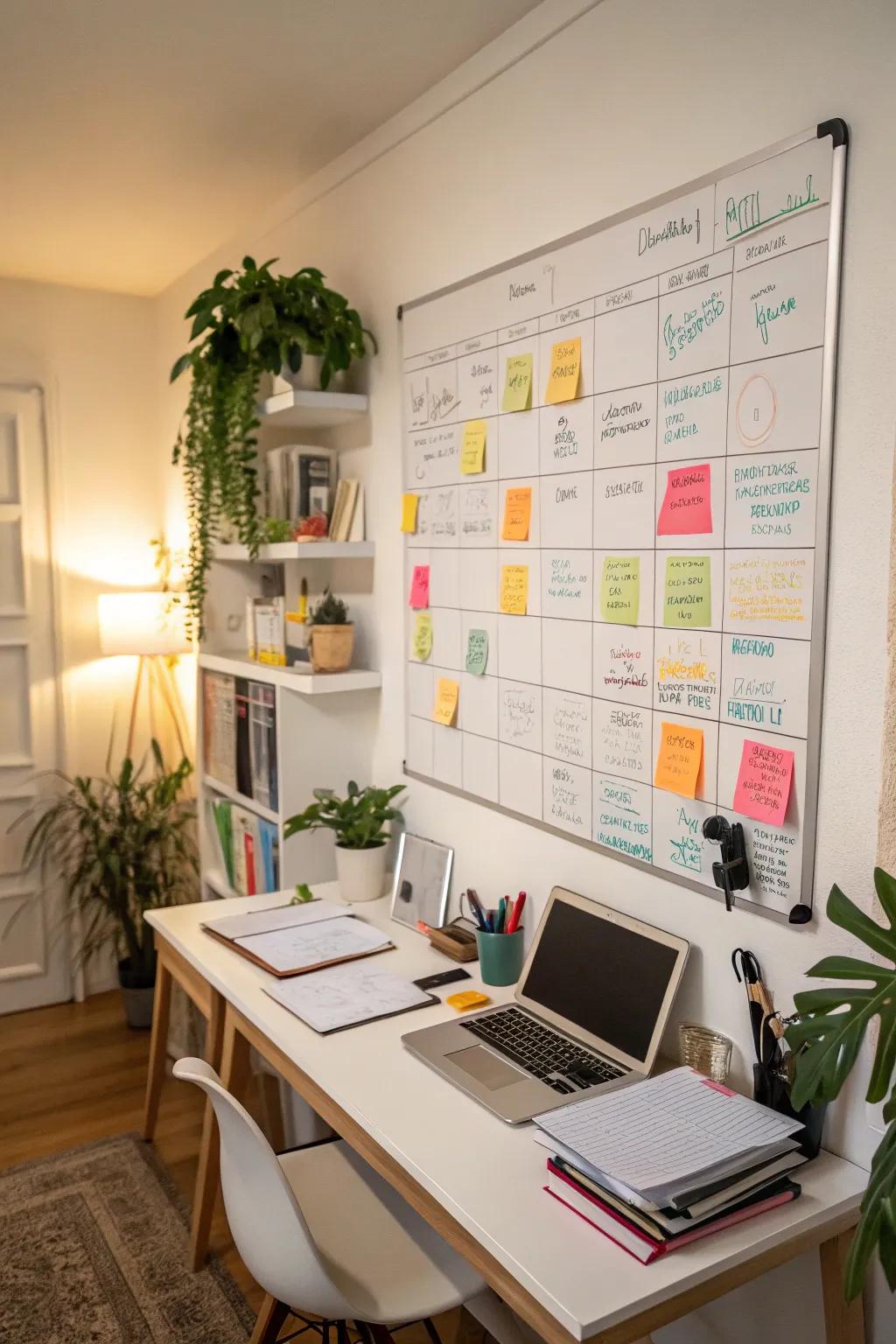
A whiteboard on the wall beside my desk holds the week’s priorities, deadlines, and a small habit tracker, and it replaced a dozen sticky notes that kept falling off the monitor. I check it every morning while coffee brews, and wiping off a finished task is genuinely satisfying. A magnetic board doubles as a place to pin receipts and permission slips.
Whiteboards get ignored if they are not in your line of sight, so I mounted mine where I look while thinking, not behind me. I also photograph it every Friday, so a wiped board never loses an important note.
Pro Tip: Divide the board into three columns — this week, waiting on others, done — and never let “waiting” grow past five items.
Cost: $25–$60 | Time: 30 minutes | Difficulty: Easy
12. Over-the-Door Organizer

The back of my office door was wasted space until I hung a clear-pocket organizer on it for notebooks, manuals, and small supplies. It holds an astonishing amount without a single screw, and because the pockets are clear, I can see everything without opening anything. It is the first place I look for batteries, stamps, and spare keys now.
Over-door hooks can damage hollow doors if overloaded, so I keep heavy items low and distribute weight across several hooks. Check that the door still closes fully — mine needed thinner hooks than the ones it came with.
Pro Tip: Reserve the top row for rarely-used items and the middle rows for daily supplies, so nothing requires a step stool.
Cost: $12–$25 | Time: 5 minutes | Difficulty: Easy
13. Tech Accessories Station
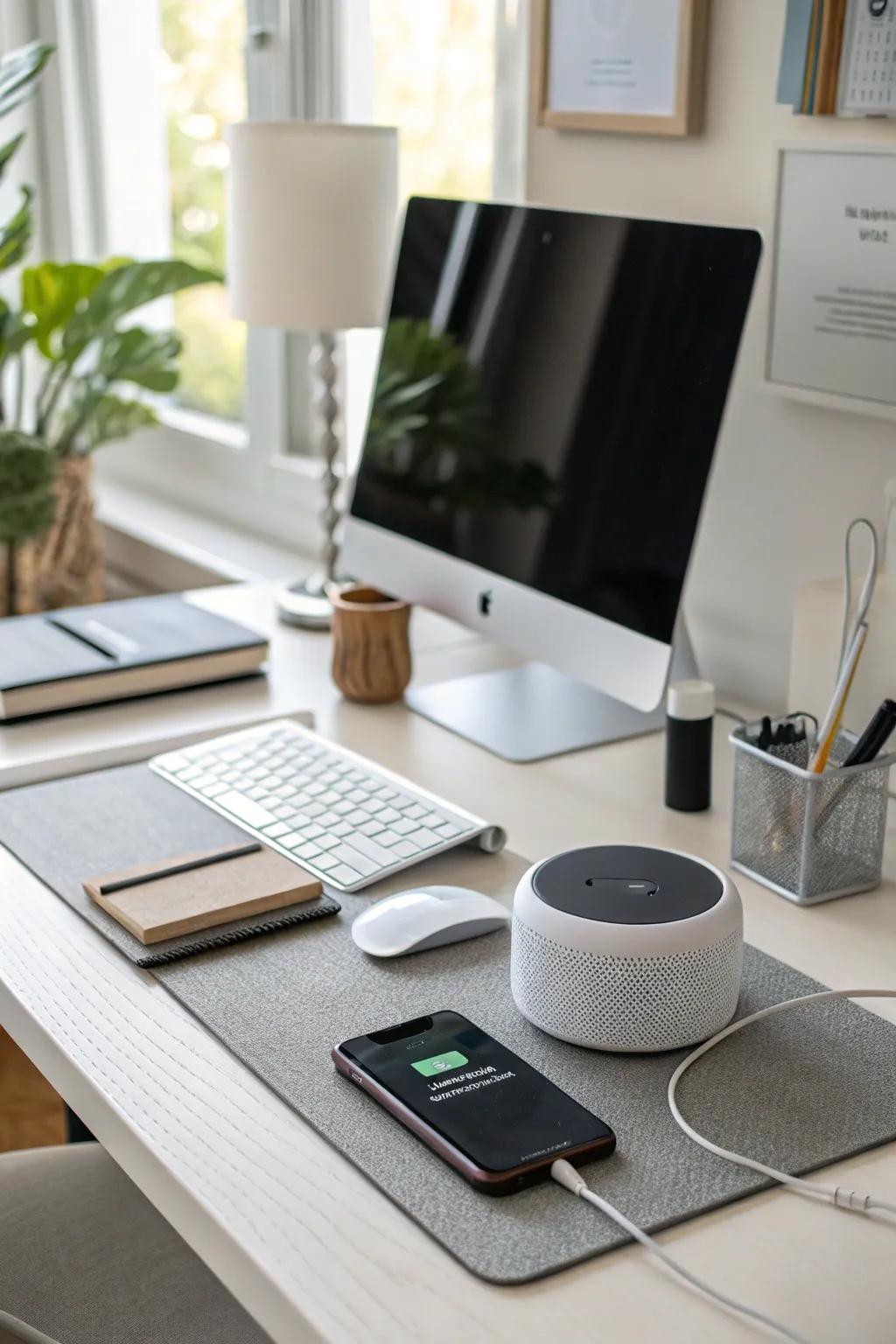
I created one small station for tech accessories — a wireless charger, a headset stand, and a tray for adapters and dongles — instead of letting them scatter across the desk. Everything tech lives in a zone about a foot wide, and when something is missing, there is exactly one place to check. A small drawer beneath holds spare cables sorted by type.
Adapters multiply like rabbits, so I do a quarterly cull: any adapter I cannot identify gets donated or recycled. Keeping a labeled bag for each device type stopped the mystery-cable drawer from returning.
Pro Tip: Photograph the back of your devices once, so you always know which cable fits what without guessing.
Cost: $20–$50 | Time: 20 minutes | Difficulty: Easy
14. Vertical File System for Paperwork

Flat paper stacks were my nemesis until I switched to vertical files: labeled folders standing upright in a desktop file holder, sorted by category — bills, school, medical, taxes. I can flip to any folder without unstacking, and the files take a fraction of the desk space a pile did. A wooden holder looks good enough to leave out permanently.
Vertical files fail if you file everything “to sort later,” so I made a rule: paper gets filed, shredded, or actioned within 48 hours. The “action” folder gets reviewed every Friday with my inbox tray.
Pro Tip: Color-code folders by category — green for money, blue for school, red for urgent — for at-a-glance finding.
Cost: $20–$40 | Time: 1 hour to set up | Difficulty: Easy
15. Desk Organizer Caddy
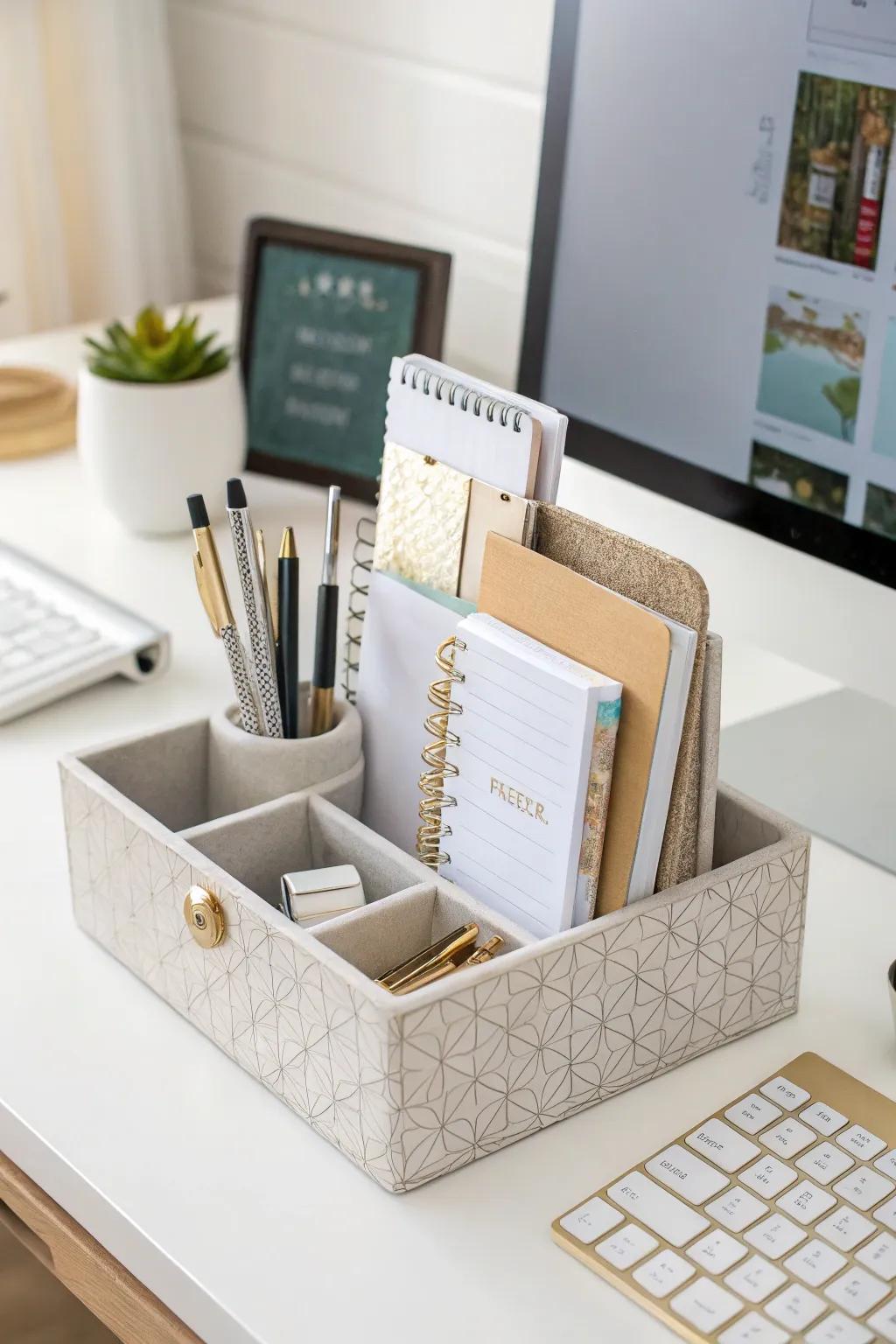
A simple desk caddy with compartments for pens, scissors, sticky notes, and my phone keeps my most-used tools within reach without covering the desk. I chose a tiered one so small items sit at the front and taller items at the back, and I keep it on my non-dominant side so my writing hand has clear space. It replaced three separate cups and a tray.
A caddy only helps if it stays curated — mine gets a weekly five-second check where anything that does not belong goes back to its home. The moment it holds random items, it becomes clutter with compartments.
Pro Tip: Limit the caddy to ten items or fewer; if it holds more, something belongs elsewhere.
Cost: $15–$35 | Time: 10 minutes | Difficulty: Easy
16. Standing-Desk Zone
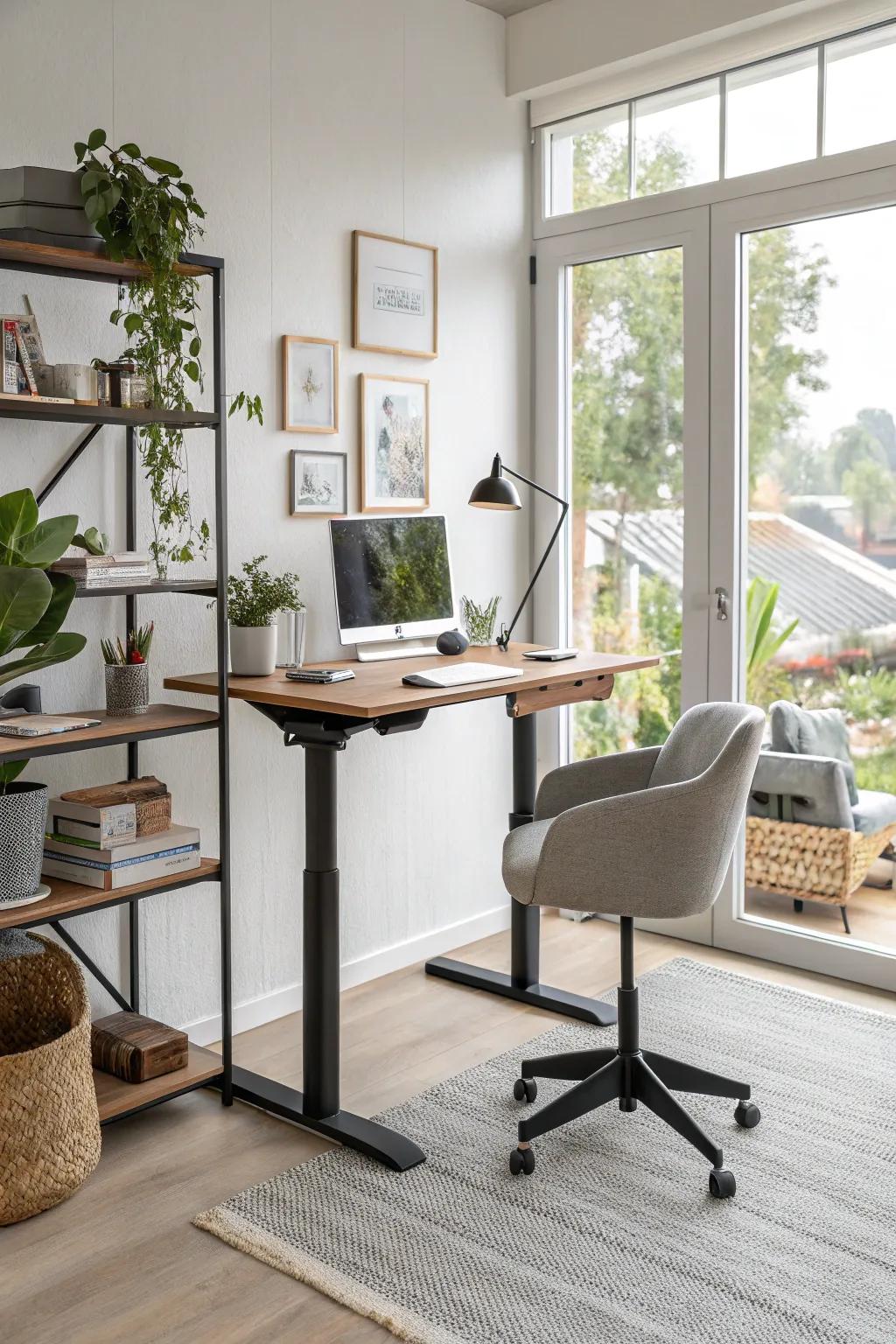
I added a standing-desk converter to one end of my desk, and alternating between sitting and standing changed my afternoons completely. The standing zone has its own monitor riser, keyboard tray, and a small mat, so switching takes seconds, not a full desk rearrangement. I stand for calls and short tasks, and sit for deep writing.
Standing all day is as bad as sitting all day, so I set a timer: 30 minutes standing, then sit. An anti-fatigue mat made the difference between a habit that stuck and one I abandoned in a week.
Pro Tip: Keep the standing zone’s cables on a separate short run so raising and lowering never tugs a plug loose.
Cost: $100–$300 for a converter | Time: 30 minutes to set up | Difficulty: Easy
17. Vision and Inspiration Board
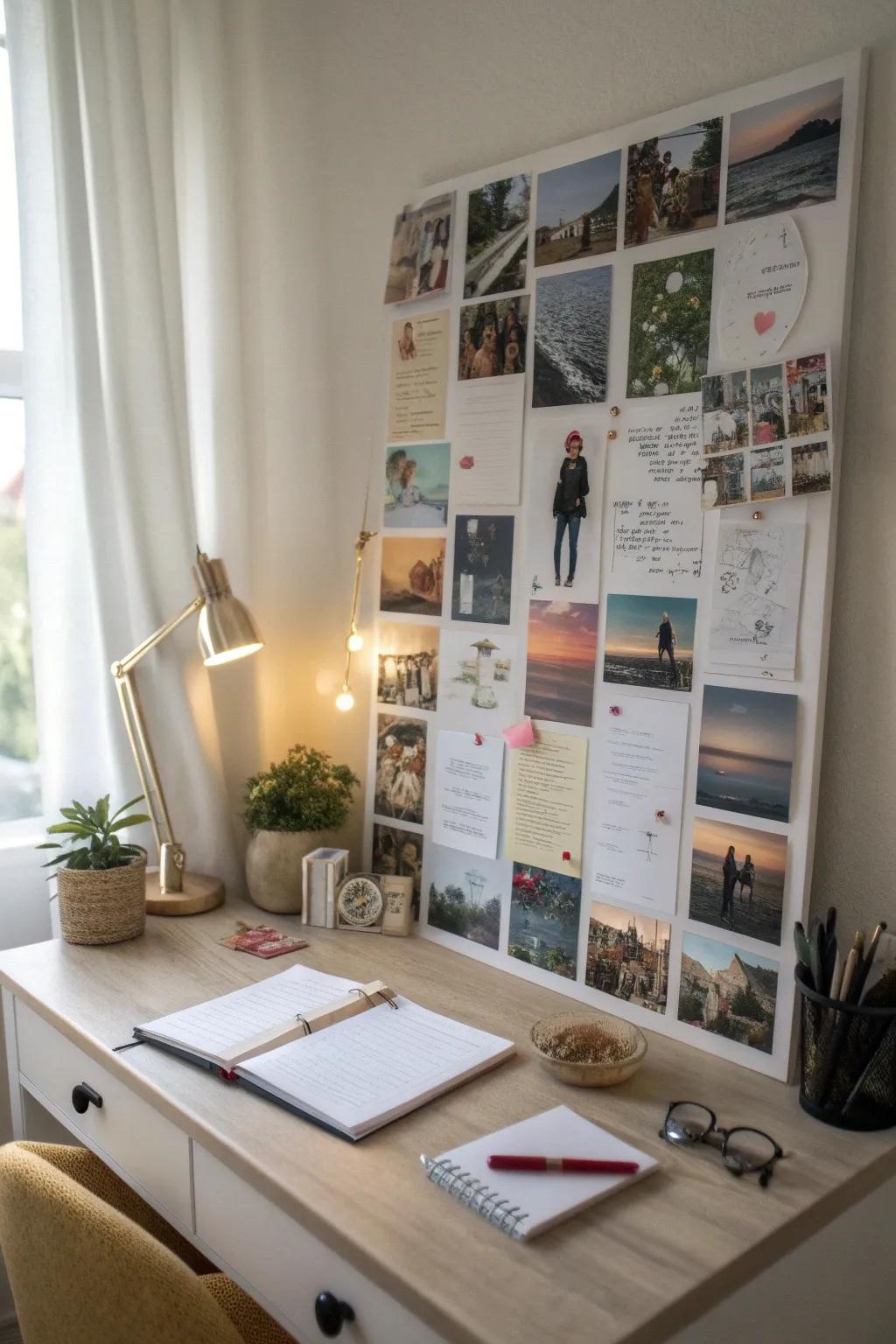
A cork board beside my desk holds project goals, a few photos, and quotes that keep me going on hard weeks, and it keeps all of that off the desk surface. I refresh it monthly, which doubles as a review of what I actually accomplished versus what I planned. It is part decoration, part organization, and entirely personal — which is why it works when generic systems do not.
Vision boards drift into clutter if never edited, so my monthly refresh removes anything that no longer matters. I keep the board to about a dozen items; more than that and it becomes wallpaper you stop seeing.
Pro Tip: Pin one “current priority” card in the center, larger than the rest, so your eyes land there first.
Cost: $15–$40 | Time: 30 minutes | Difficulty: Easy
18. Weekly Desk Reset Ritual

No system survives without maintenance, so I built a ten-minute Friday reset: clear the desk, empty the inbox tray, file the action folder, wipe the surface, and take a quick photo. The photo sounds silly, but comparing before-and-after shots kept me honest in the early weeks, and now the reset is automatic. Monday mornings start clean, which changes the whole week.
The reset fails if it takes longer than ten minutes, so I keep a small “reset kit” — a microfiber cloth, a trash bag, and a file folder — in the desk drawer. If the reset grows into a deep clean, I split it across two days instead of skipping it.
Pro Tip: Pair the reset with something pleasant, like a favorite playlist, so it becomes a ritual instead of a chore.
Cost: $0 | Time: 10 minutes weekly | Difficulty: Easy
19. Ergonomic Chair and Reach Zones
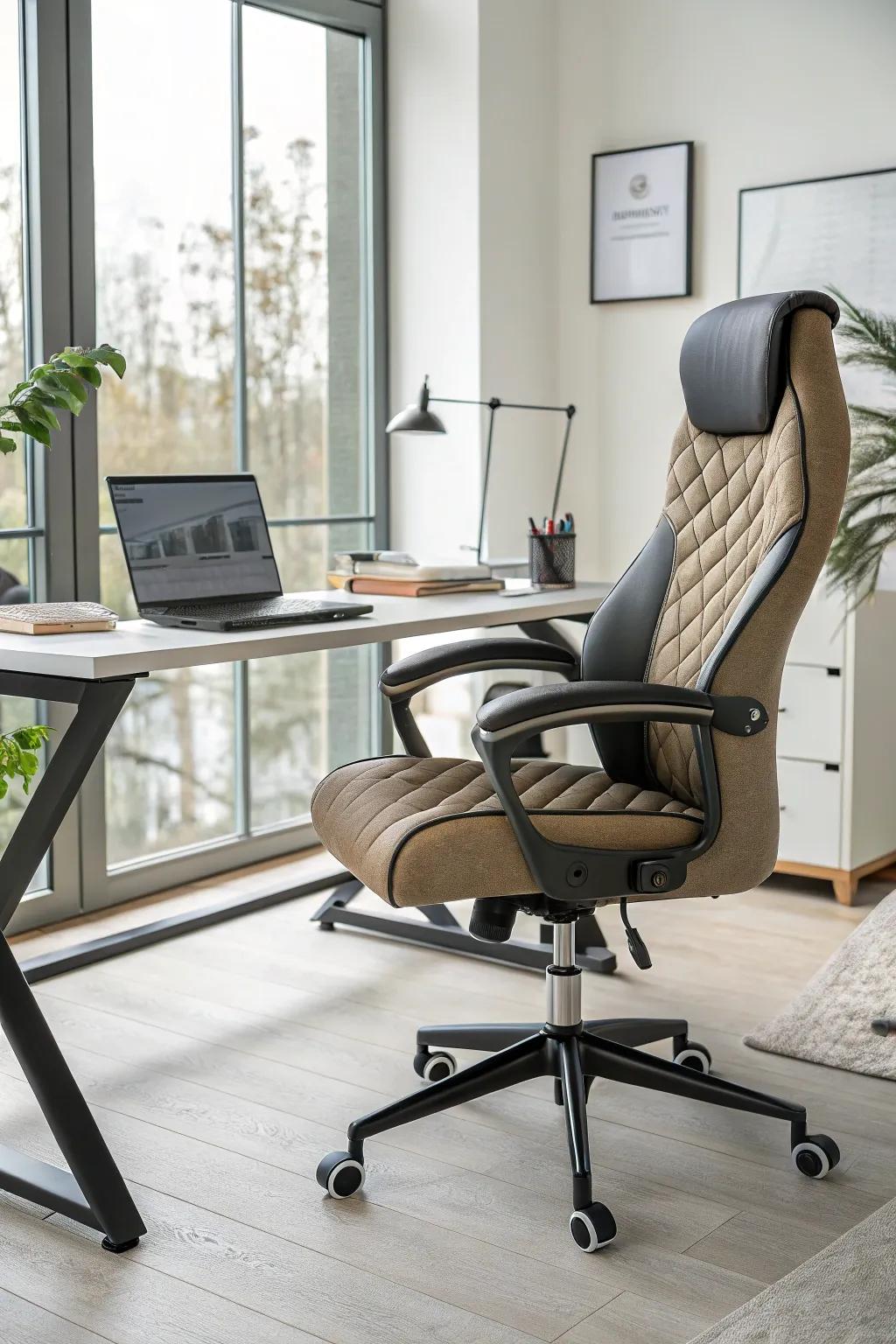
Organization is not just storage — it is how your body moves through the space. I set up reach zones around an ergonomic chair: daily tools within arm’s reach, weekly items within a step, and archives across the room. Adjusting the chair height so my feet rest flat and the monitor sits at eye level ended the shoulder ache I had blamed on stress for months.
An expensive chair does not fix a bad layout, so I arranged zones first and bought the chair second. Test any chair for at least twenty minutes before committing — showroom comfort and eight-hour comfort are different things.
Pro Tip: Keep your most-used item (for me, water) on your non-dominant side so reaching never interrupts typing.
Cost: $100–$400 for a chair | Time: 30 minutes to arrange zones | Difficulty: Easy
20. Rotating Desk Organizer

A rotating organizer — basically a lazy Susan for desk supplies — keeps pens, clips, and small tools accessible with one spin. I keep mine at the back corner of the desk, where a fixed organizer would be hard to reach, and spinning it is faster than standing up. It is especially good for shared desks, since each person can spin to their own section.
Rotating organizers encourage overfilling, so I capped mine at two tiers and one item type per section. If it spins sluggishly, it is overloaded — remove a section before it becomes a junk carousel.
Pro Tip: Put the least-used items on the far side of the rotation so daily items face you by default.
Cost: $15–$35 | Time: 10 minutes | Difficulty: Easy
21. Desk With Built-In Storage
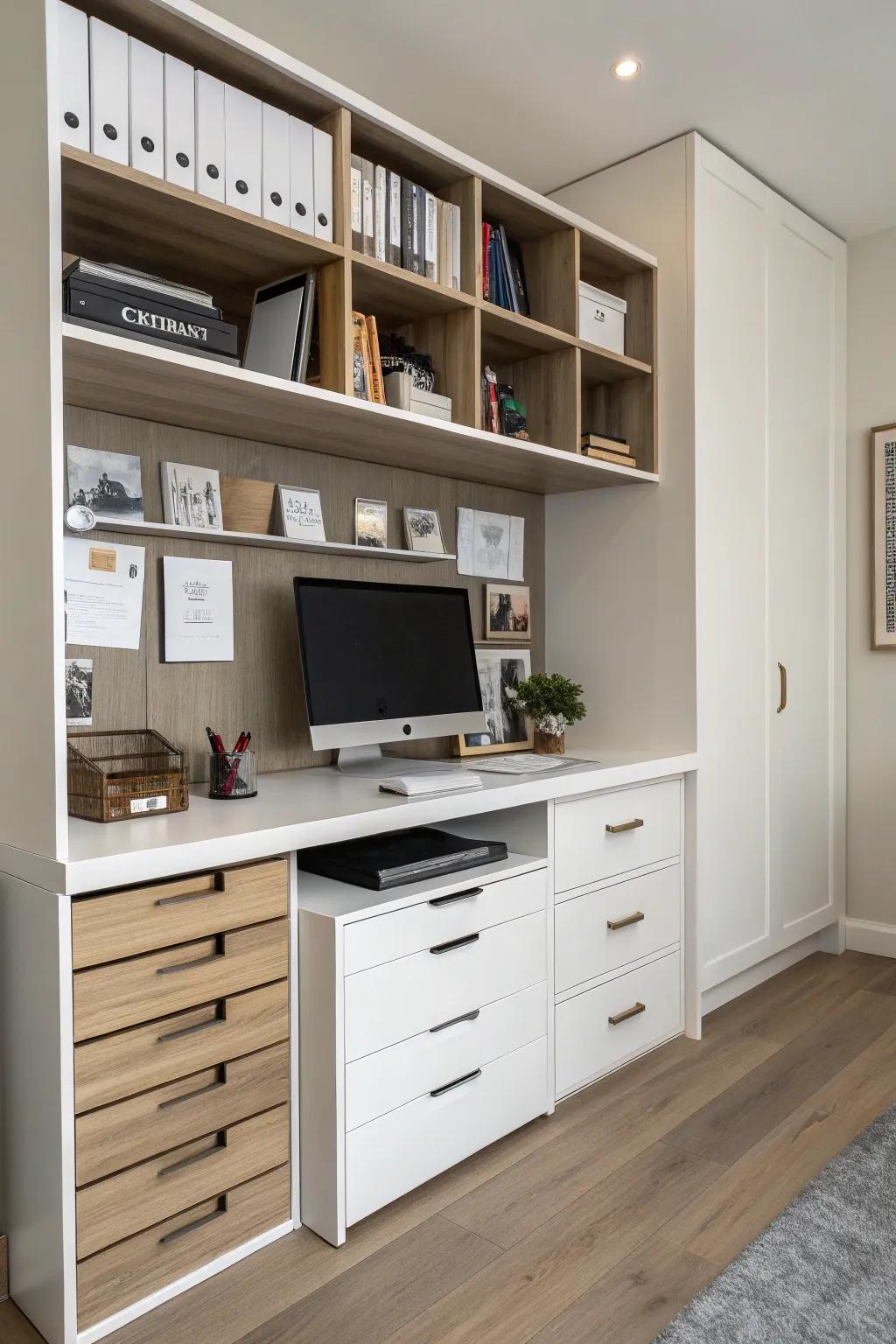
When I finally replaced my desk, I chose one with built-in drawers and a shelf, and it absorbed half the clutter that used to live on the surface. Built-in storage works because it is exactly where you need it — no separate unit to walk to, no excuses. I keep current projects in the top drawer, reference material on the shelf, and archives elsewhere entirely.
A desk with storage costs more and weighs more, so measure your doorways before delivery — mine barely fit through the office door. If replacing the desk is not an option, a clamp-on drawer unit under your current desk gives you most of the benefit.
Pro Tip: Keep one drawer entirely empty when you set up; it becomes the buffer that stops future clutter.
Cost: $150–$400 | Time: 1 hour to assemble and organize | Difficulty: Easy
Quick Comparison: Which Home Office Organization Ideas Fit Your Space?
Small rooms benefit most from wall storage and rolling carts; larger rooms can add cabinets and shelving units. Also read this related guide on craft supply storage ideas — the same labeled-box system works wonders when office supplies share space with craft materials.
| Space | Best First Moves | Typical Cost | Effort |
|---|---|---|---|
| Tiny desk or corner | Cable tray, pegboard, rotating organizer | $40–$100 | Low |
| Spare room office | Shelves, tiered trays, whiteboard | $75–$200 | Low–Medium |
| Shared or family office | Rolling cart, labeled boxes, weekly reset | $50–$150 | Low |
| Paper-heavy work | Vertical files, inbox trays, hidden cabinets | $60–$200 | Medium |
Mistakes I Made (So You Don’t Have To)
I made each of these mistakes while testing these home office organization ideas, and each one cost me a reorder or a frustrating week. A related article on linen closet organization hallway ideas helped me apply the same zone logic to the closet beside my office.
Mistake 1: Organizing before decluttering
I bought beautiful organizers and filled them with things I should have donated. Declutter first, then buy storage for what remains — never the other way around.
Mistake 2: Hiding everything behind doors
I hid daily tools in cabinets and then never used them, because out of sight meant out of mind. Daily tools stay visible; only rarely-used items get hidden.
Mistake 3: No paper flow
I created a filing system but no inbox, so paper piled on the desk waiting to be filed. An inbox tray with a weekly processing habit fixed it permanently.
Mistake 4: Skipping the weekly reset
Every system I built decayed within a month until I added the ten-minute Friday reset. Maintenance is part of the system, not an optional extra.
Frequently Asked Questions
How do I organize a very small home office?
Go vertical with shelves and pegboards, use a rolling cart instead of a cabinet, and keep only daily tools on the desk. Small spaces punish every extra item, so declutter ruthlessly first.
What is the cheapest way to organize a home office?
Start with a cable tray, drawer dividers, and an inbox tray — under $60 total. Add shelves and a whiteboard later, once the basics are working.
How do I keep my home office organized long-term?
Use the ten-minute Friday reset, enforce a one-in-one-out rule for supplies, and photograph your desk monthly. When the photo looks worse two months running, something in the system needs changing.
Should my office be minimalist or fully stocked?
Neither extreme works for most people. Keep daily tools visible, weekly items within reach, and archives out of the room — a middle path that stays usable without looking bare.
Final Thoughts
My home office went from a daily source of stress to a room I actually enjoy working in, and the change came from systems, not shopping. Start with cables and paper flow this weekend, add wall storage next, and let the weekly reset do the long-term work. Read this next: bathroom cabinet organization ideas if small-space storage is your theme this month — the same principles scale to every room.
If you try just one of these home office organization ideas, make it the Friday reset. It is free, takes ten minutes, and protects every other system you build.